
Table of Contents
Toggle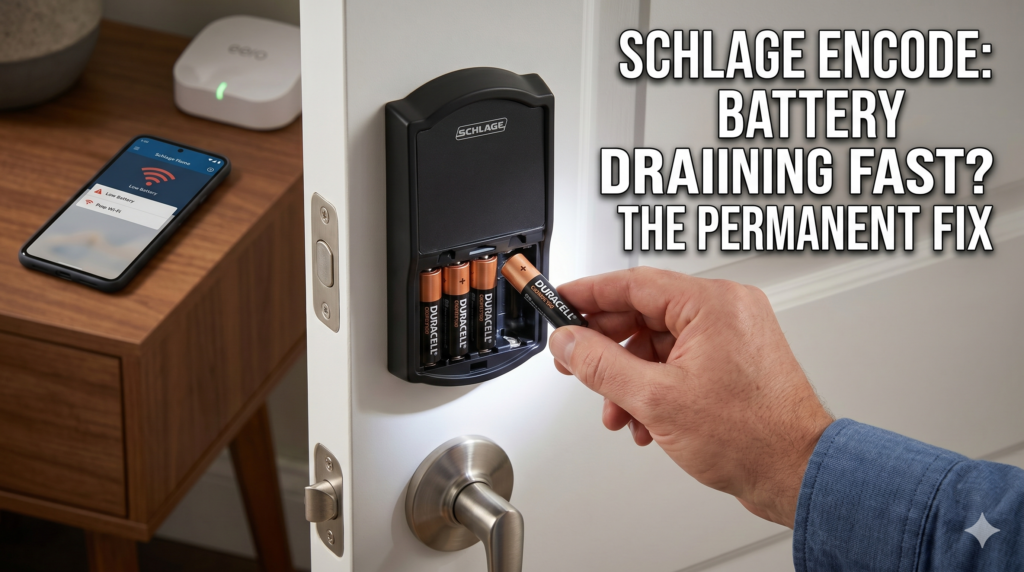
Is your Schlage Encode battery draining fast? The Schlage Encode Smart Wi-Fi Deadbolt is widely regarded as one of the best smart locks on the market, but facing rapid power loss can ruin the experience. If you find yourself replacing your four AA batteries every few weeks instead of enjoying the promised 6-month battery life, you are not alone.
If you find yourself replacing your four AA batteries every few weeks instead of enjoying the promised 6-month battery life, you are not alone.
This deep-dive guide covers the technical reasons behind rapid battery depletion in the Schlage Encode and Encode Plus series, providing permanent, field-tested solutions to restore your lock’s efficiency.
Understanding the Root Causes of Rapid Battery Drain
Before implementing a fix, it helps to understand why a smart lock consumes excess power. Unlike older Z-Wave or Zigbee locks that require a separate smart home hub, the Schlage Encode connects directly to your home’s 2.4GHz Wi-Fi network.
While this eliminates the need for extra hardware, Wi-Fi radios are inherently power-hungry. If the lock encounters resistance—either mechanical or digital—it will consume exponentially more energy to perform its basic tasks.
The four most common culprits behind an accelerated battery drain include:
Physical Door Misalignment: The motor encounters resistance while throwing or retracting the deadbolt, drawing massive current spikes.
Weak Wi-Fi Signals: A poor connection forces the internal Wi-Fi chip to constantly broadcast at maximum power or repeatedly drop and search for the network.
Incorrect Battery Chemistry: Using advanced lithium batteries or low-voltage rechargeable variants instead of standard high-quality alkalines.
Dual-Platform Syncing (Encode Plus): Concurrently linking the lock to both the Schlage Home app and Apple HomeKit, doubling the background cloud communication.
5 Permanent Fixes for Schlage Encode Battery Issues
Follow these troubleshooting steps sequentially to pinpoint and permanently eliminate the battery drain on your smart lock.
Follow these troubleshooting steps sequentially to pinpoint and permanently eliminate the battery drain on your smart lock.
1. Fix Physical Resistance and Alignment (The Mechanical Drag)
Physical resistance is the primary hidden cause of smart lock battery failure. If your door requires you to push, pull, or lift the handle to lock it successfully, your deadbolt motor is working too hard.
[Motor Encounters Resistance] ➡️ [Current Draw Spikes] ➡️ [Battery Depleted Progressively Fast]
To diagnose this, open your door completely and throw the deadbolt via the keypad or app. If it extends smoothly without any grinding noises, your lock assembly is fine, but your door frame alignment is off.
1.Test manually with a closed door:
Close the door and turn the thumbturn manually. Feel for any rubbing, binding, or friction as the bolt enters the strike plate on the wall frame.
2.Inspect the strike pocket depth:
Remove the strike plate from the door frame. Ensure the hole behind it is carved out to a full depth of at least 1 inch. If the bolt hits the back of the wood pocket, the motor will stall and drain the battery trying to force it shut.
3.Adjust and file the strike plate:
If the bolt rubs against the top, bottom, or sides of the metal plate, use a small metal file to widen the opening, or unscrew and reposition the strike plate slightly until the deadbolt seats cleanly without touching the metal edges.
2. Optimize the Wi-Fi Network Connection
Because the Schlage Encode maintains a direct Wi-Fi link, a weak signal acts like a dead zone for a smartphone—forcing the device to burn through power trying to stay connected.
Verify Signal Strength: Open your Schlage Home app, navigate to Settings, and check the Wi-Fi signal indicator. If it shows “Fair” or “Poor,” the radio is draining the power cell.
Dedicate a 2.4GHz Band: Smart locks do not support 5GHz bands. If your home uses a combined mesh or dual-band router under a single network name (SSID), the lock may constantly cycle between bands. Create a dedicated 2.4GHz guest network specifically for your smart home devices.
Perform a Soft Connection Reset: If your signal strength is good but the lock frequently goes offline, execute a soft reset to clear potential firmware network loops.
How to Soft Reset: Retract the deadbolt bolt. Remove the battery cover and slip out the black battery tray. Leave it disconnected for a full 10 seconds to drain the internal capacitors, then reinsert the tray firmly.
3. Switch to the Right Battery Chemistry
It is tempting to buy premium Lithium batteries or high-capacity NiMH rechargeable cells to save money over time, but Schlage electronic locks are specifically engineered and calibrated for high-quality, name-brand 1.5V Alkaline batteries (such as Duracell Coppertop or Energizer Max).
| Battery Type | Voltage Behaviour | Impact on Schlage Encode |
|---|---|---|
|
Alkaline (Recommended) |
Drops voltage linearly over time |
Allows the lock to accurately read capacity and broadcast low-battery alerts at 25%. |
|
Lithium |
Holds high voltage, then drops off a cliff |
Confuses the internal voltage sensor, leading to rapid, unalerted lock shutdowns or constant background polling. |
|
Rechargeable (NiMH) |
Starts at a lower baseline voltage (1.2V) |
The lock registers a total of 4.8V instead of 6.0V, recognizing the brand-new batteries as “already depleted” right out of the charger. |
4. Resolve Dual-Platform Communication Bugs (Encode Plus Only)
If you own the Schlage Encode Plus (Model BE499WB), you have access to both Apple HomeKit (via Thread/Bluetooth) and the standard Schlage Home cloud (via Wi-Fi).
If the lock is paired simultaneously to both systems, a known handshake glitch can occur where both apps continuously ping the device for status updates, draining the cells in less than two weeks.
To fix this, choose one ecosystem. If you are deeply integrated into Apple’s infrastructure, use HomeKit natively; otherwise, stick to the Schlage Home app.
-
Remove the lock from both applications.
-
Perform a complete Factory Reset by holding down the black setup button inside the housing for 10 seconds until the LED flashes.
-
Re-pair the device exclusively to one preferred application platform.
5. Check the Physical Battery Terminals
In some production runs, the metal contact tabs inside the black battery tray can sit loose, causing subtle micro-vibrations when closing the door to interrupt power. This causes the Wi-Fi chip to constantly reboot and run its high-draw boot sequence.
Take a pencil with a clean rubber eraser and gently buff the silver contacts inside the tray to remove any manufacturing oils, grease, or minor oxidation. If the battery pack feels loose, a small non-conductive shim (like a tiny piece of cardboard) placed along the top edge of the housing can keep the tray firmly pressed against the internal pins.
What if the Lock is Bricked? (The Warranty Route)
If you have tried adjusting the door alignment, updated your network, and used fresh Duracell alkalines, but your batteries still drop to zero within 3 to 7 days, your lock likely suffers from a corrupted firmware update or an internal hardware short-circuit.
Schlage handles firmware updates automatically via the cloud. If an update fails mid-transmission or experiences a packet error, the Wi-Fi radio can get stuck in a high-consumption boot loop.
Expert Insight: Schlage provides a robust 3-year electronics warranty on the Encode series. If your lock is under 3 years old and exhibiting unresolvable battery drainage, contact their US-based customer service line. Many users report that Schlage support can verify the internal firmware looping log over the phone and will promptly ship out a brand-new replacement lock.
The Gold Standard Replacement: Schlage Encode Smart Wi-Fi Deadbolt
If your current smart lock is out of warranty, or if you are looking to upgrade an older, troublesome unit to a pristine, factory-calibrated device, investing in a fresh Schlage Encode system remains the most secure choice for modern homes.
When installed with a perfectly aligned door frame, the stock hardware operates flawlessly within its power parameters.
The absolute top-selling configuration available on Amazon US is the Schlage Encode Smart WiFi Deadbolt (Matte Black Century Trim). It features an ultra-sleek, minimalist modern profile that pairs elegantly with contemporary entryways, combining certified Grade 1 security with effortless, hub-free remote access.

Core Specifications & Features
Built-In Wi-Fi: Connects directly to your home network without any extra bridges or smart hubs.
Capacitive Touchscreen: Fingerprint-resistant matte screen prevents intruders from guessing your code pattern based on oily smudges.
Advanced Security: Certified ANSI/BHMA Grade 1—the highest residential security rating available against forced entry and lock picking.
Smart Home Ready: Works seamlessly via voice commands with Amazon Alexa and Google Assistant, and supports automated check-ins for Airbnb guests.
Built-In Alarm: Includes an integrated sensor that detects physical tampering or forced entry attempts directly at the door.
- For those looking for a slightly more traditional aesthetic that blends naturally with classic architecture, handlesets, or colonial-style entryways, the Schlage Encode Smart WiFi Deadbolt (Satin Nickel Camelot Trim) offers identical top-tier performance and features inside a beautifully arched, timeless silver housing.
Long-Term Maintenance Tips for Peak Battery Life
To ensure you regularly hit that coveted 6-month threshold on your fresh set of batteries, implement these quick habits:
Check Hinges Annually: Doors sag over time due to humidity shifts and loose hinge screws. If your door sags, the strike plate alignment shifts, bringing back the battery-draining mechanical resistance.
Clear Keypad Debris: Use a soft, damp microfiber cloth to clean the screen. Avoid harsh chemical cleaners that can degrade the capacitive surface or seep behind the rubber seals.
Monitor App Alerts: Pay attention to low-battery push notifications. Running a smart lock below 10% capacity can cause the Wi-Fi module to drop signals unexpectedly as it struggles to pull stable power.
By resolving the underlying issues of physical friction, optimizing network bands, and adhering to strict alkaline battery use, you can permanently fix the Schlage Encode battery drain issue and restore true keyless convenience to your home.
As an Amazon Associate, I earn from qualifying purchases.

